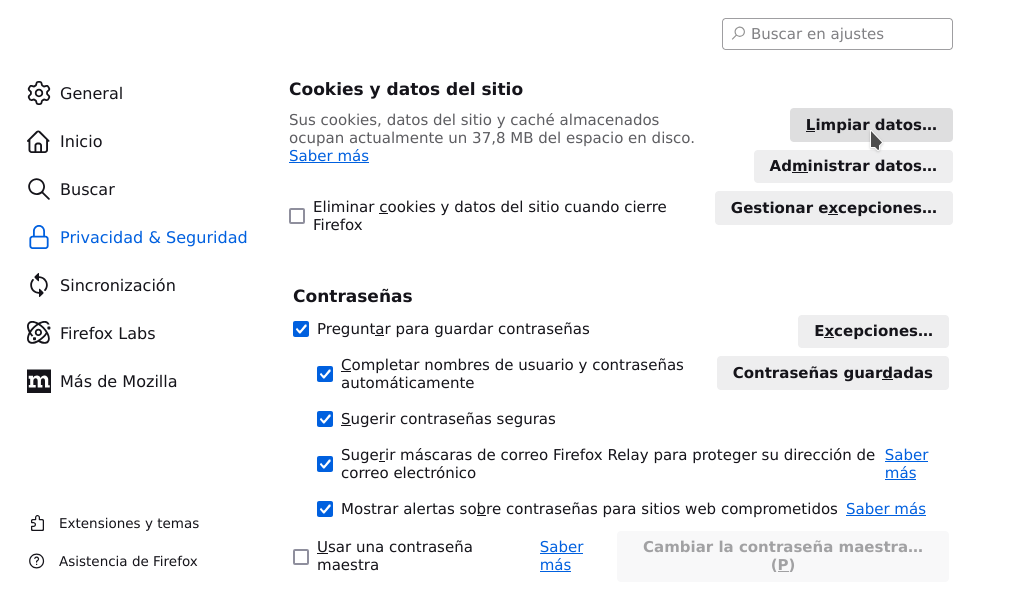
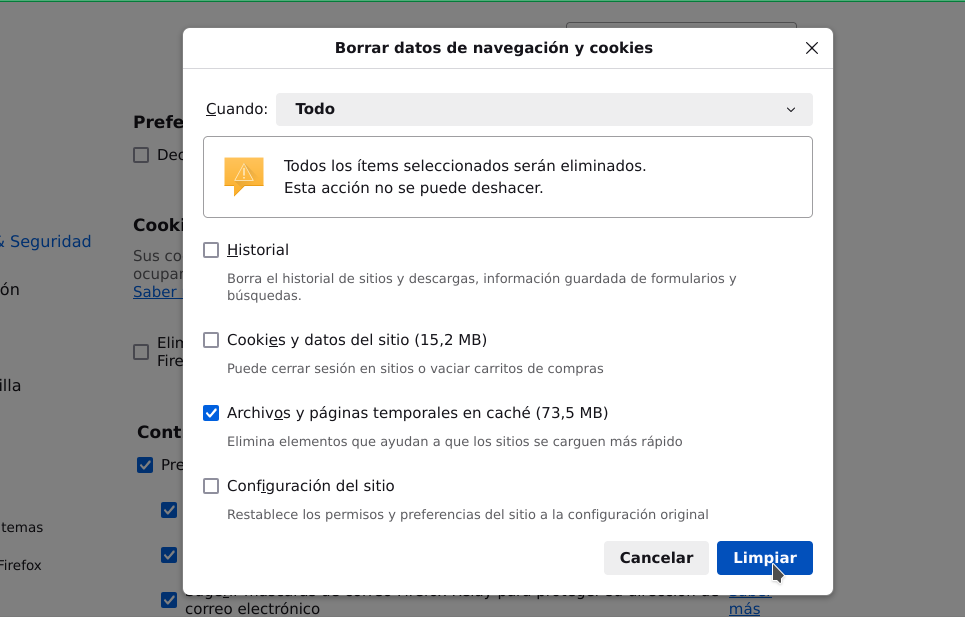
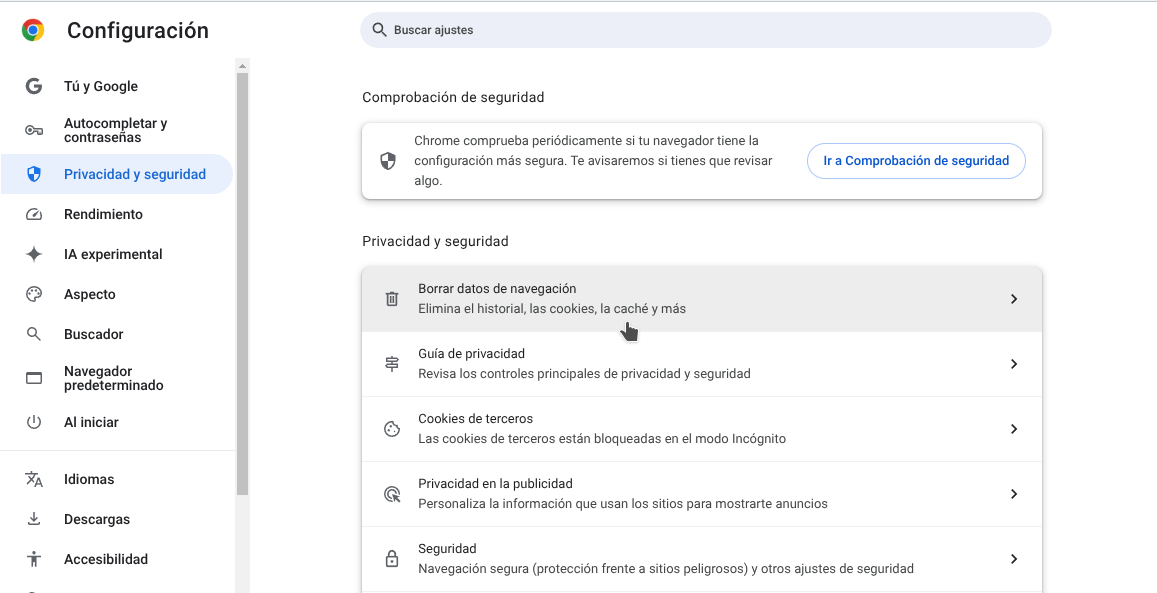
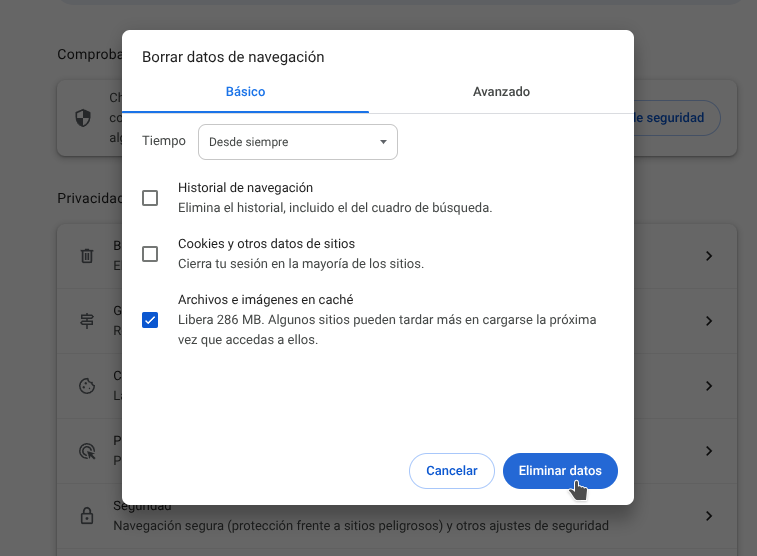
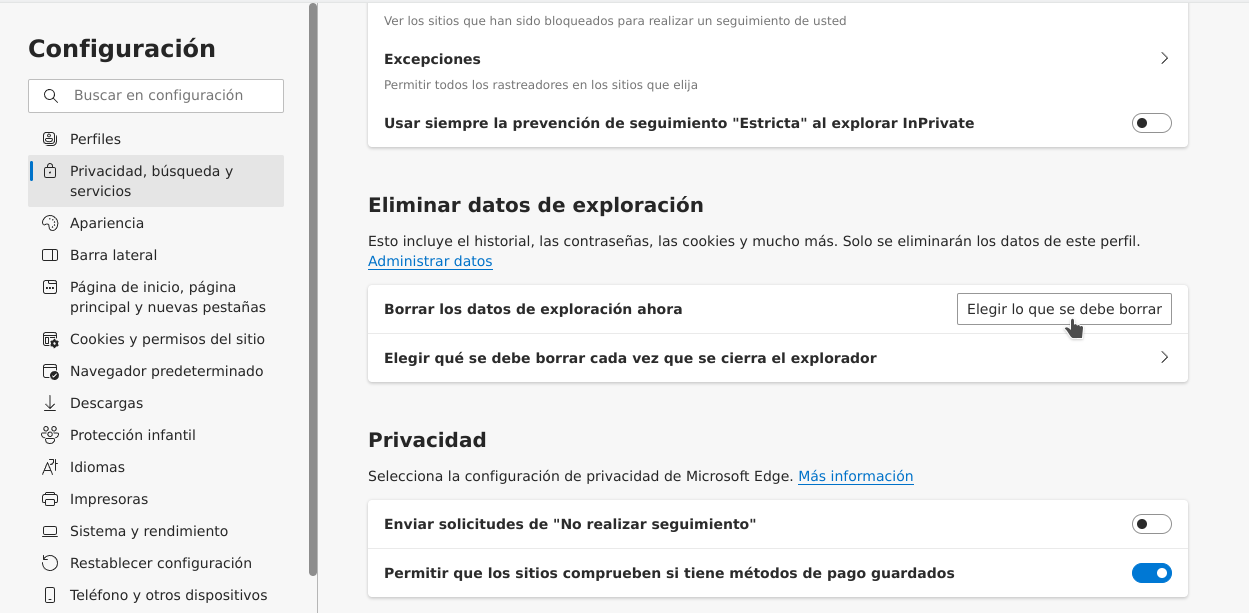
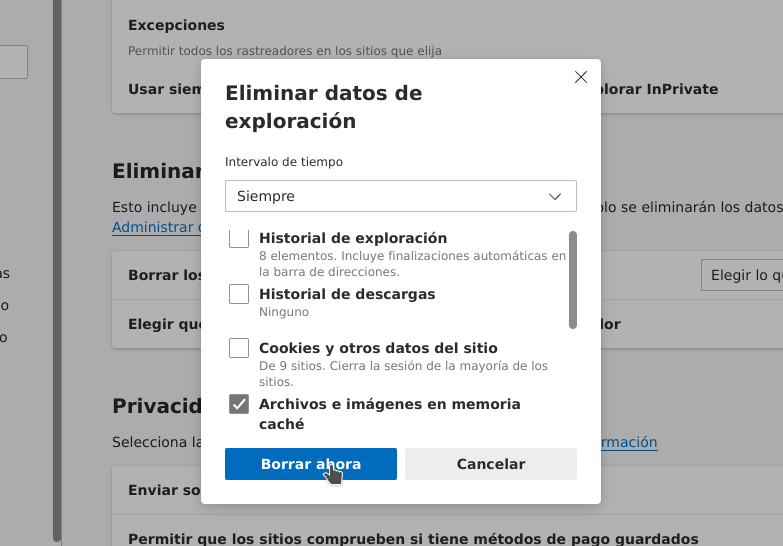
Help browser clear cache.
If the HTML editing engine (CKEditor) or CSS (cascade style sheet) files has been updated, it may happen that your browser is still using the old cached version, and not the current one.
In this case, it is advisable to clear your browser's cache after applying the update.
Here are some examples:
Your Browser:
- Firefox
- Google Chrome
- Microsoft Edge
- Safari
- Click on the Safari menu in the top left hand corner
- Click on Settings...
- Click Privacy
- Click on the Manage Website Data button
- To remove any cached data and cookies from your computer, click Remove all
- Click Remove Now
- Wait a few moments, then click Done